
How automated parking works
Learn how to integrate our APIs for automated parking
This guide aims to provide clarity on the flow and APIs needed for automated parking
Prerequisites
Parking locations must be imported into Setel’s database before automated parking can be enabled. This integration applies only to locations equipped with License Plate Reader (LPR) technology.
How it works
This feature is only available to Setel user with License Plate number (LPN) setup and automated parking feature enabled in Setel app.
There are 3 journeys to integrate for Setel automated parking:
- Creating a parking session
- Monitoring a parking session
- Ending a parking session
Your system will create a parking session in Setel system when your LPR detects a user’s LPN at the point of entry.
Note: Please check if the license plate number is your season parking customer before creating a parking session in Setel.
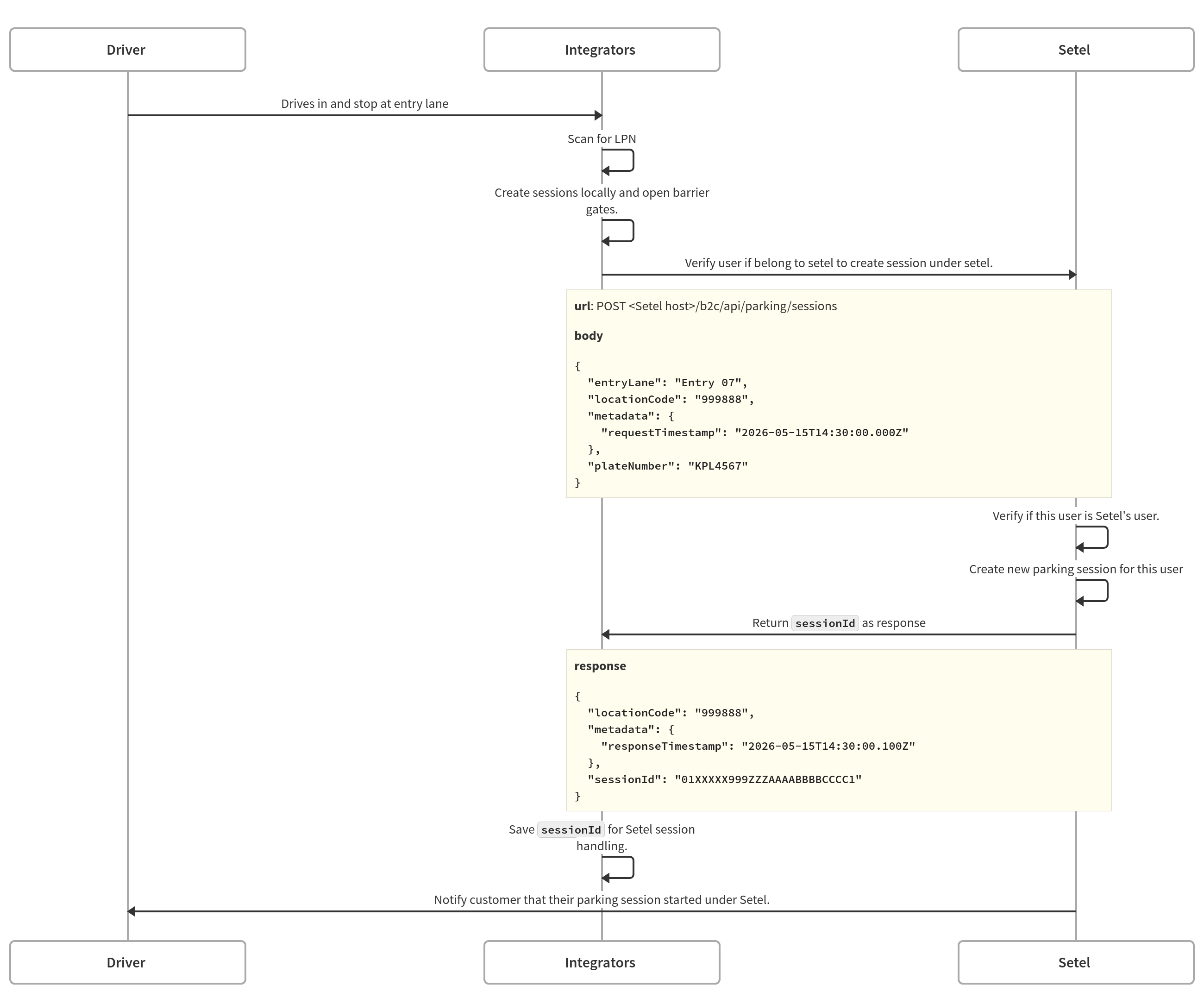
API reference: Create a parking session
Please prepare a webhook for Setel to retrieve the real-time parking amount for Setel user to monitor their session.
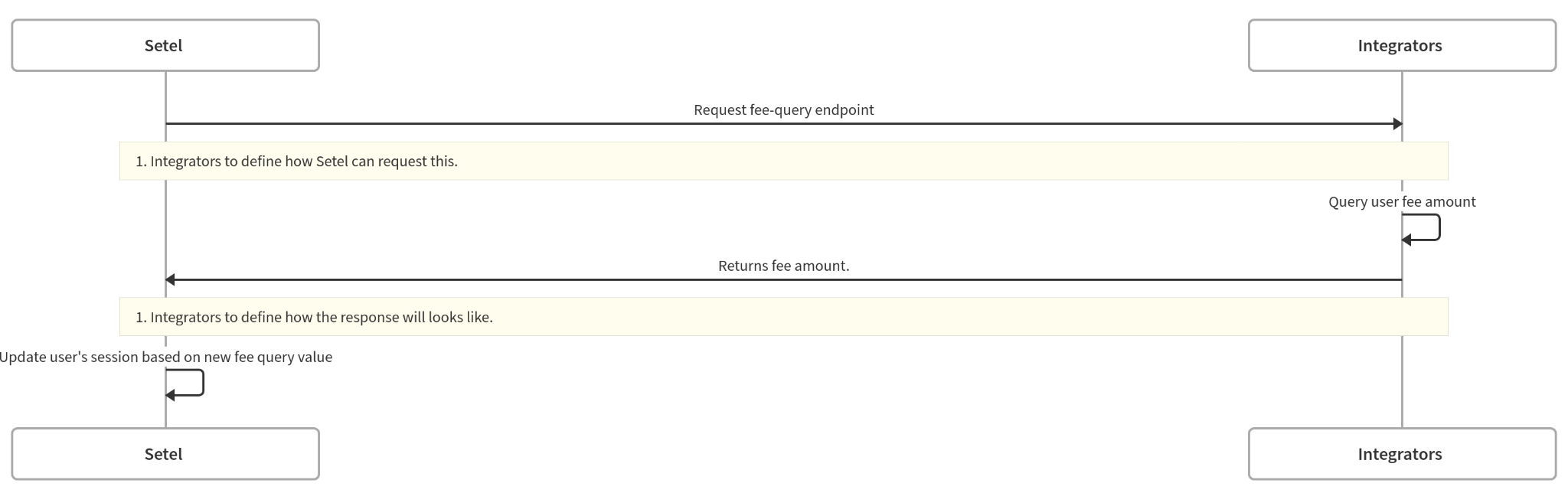
API reference: Fee query webhook
When a user exits your parking site, you must end their parking session in the Setel system. Please refer to the following scenarios for ending a Setel parking session.
Scenario 1: User exits with Setel payment
Step 1 - Close the parking session
You may send us the final amount to verify user's account balance for the payment.
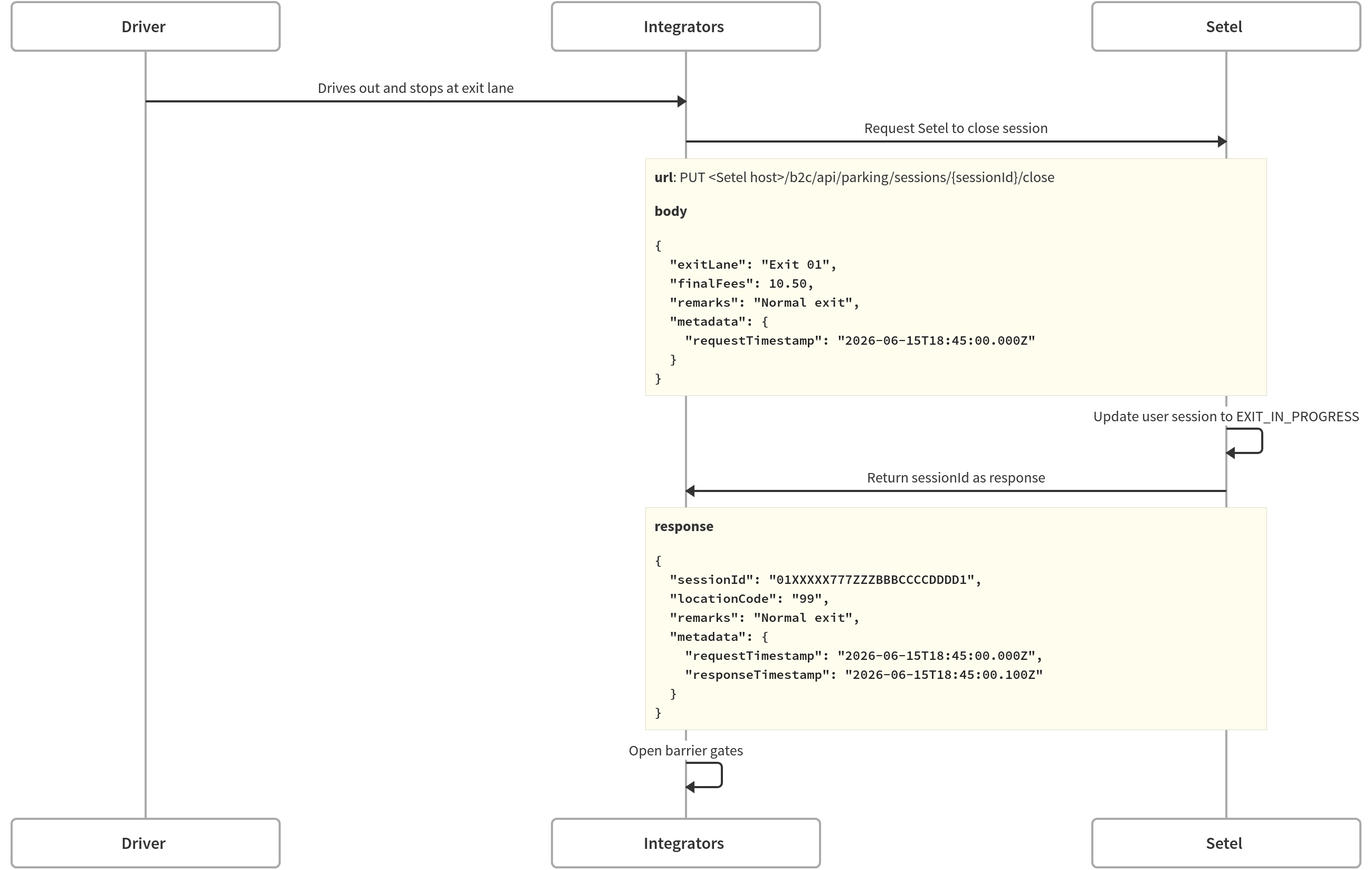
API reference: Close a parking session
Step 2 - Charge the parking session
If the user exits without using an alternative payment method, you may call our charge API to confirm the payment.
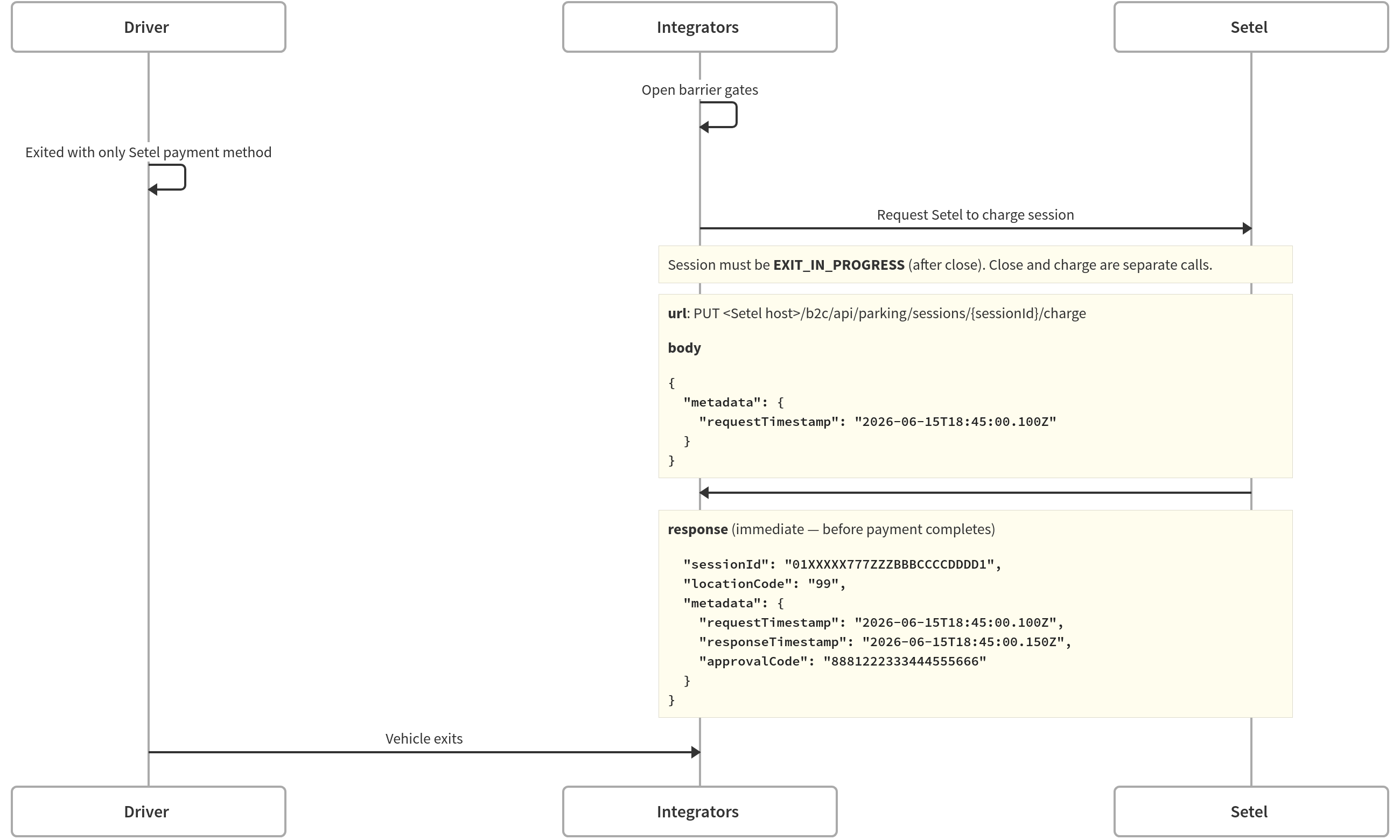
API reference: Charge a parking session
API v1.0 (Deprecated):
Setel will no longer maintain this API, but it will remain operational until further notice.
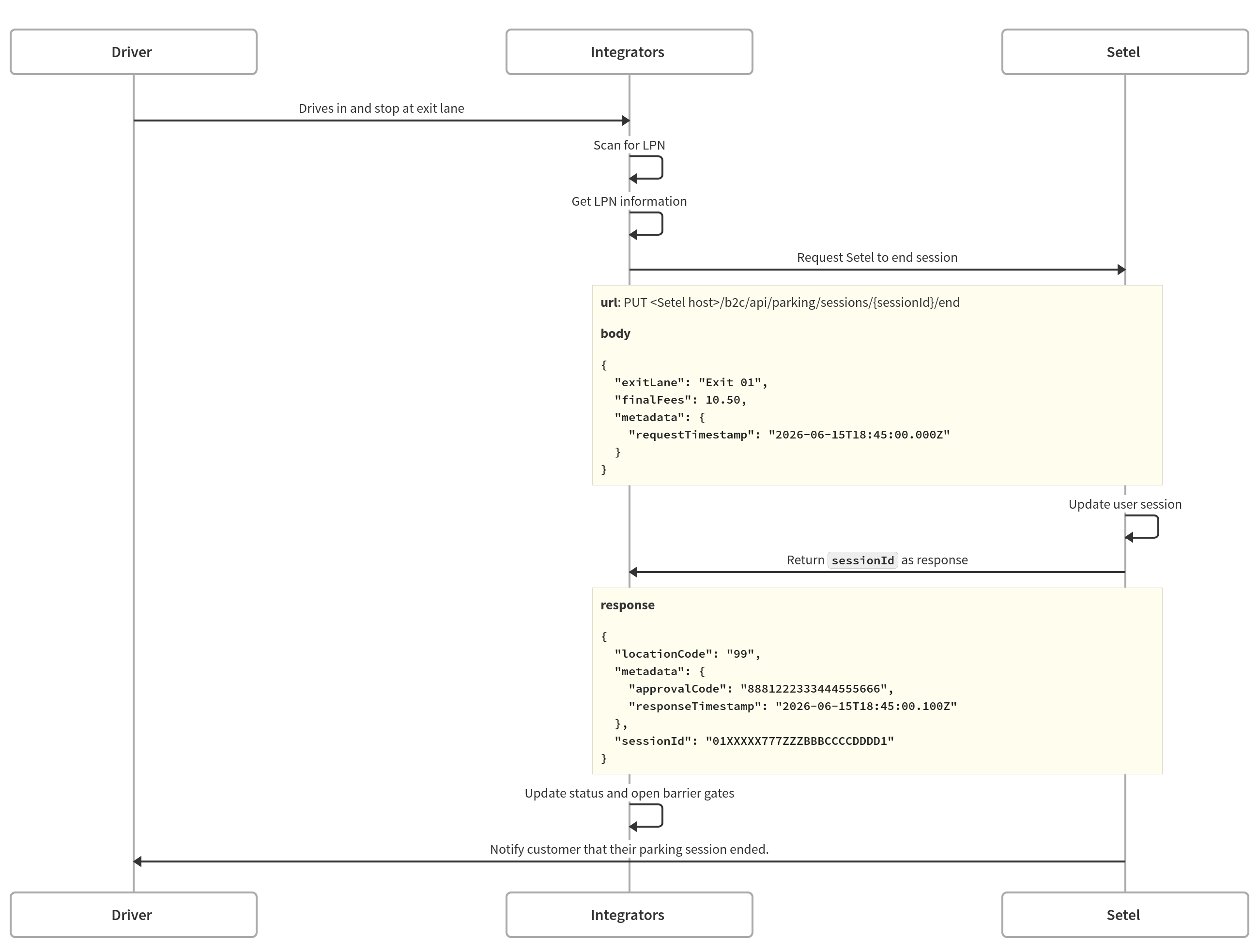
API reference: End a parking session
Scenario 2: User exits with jump card
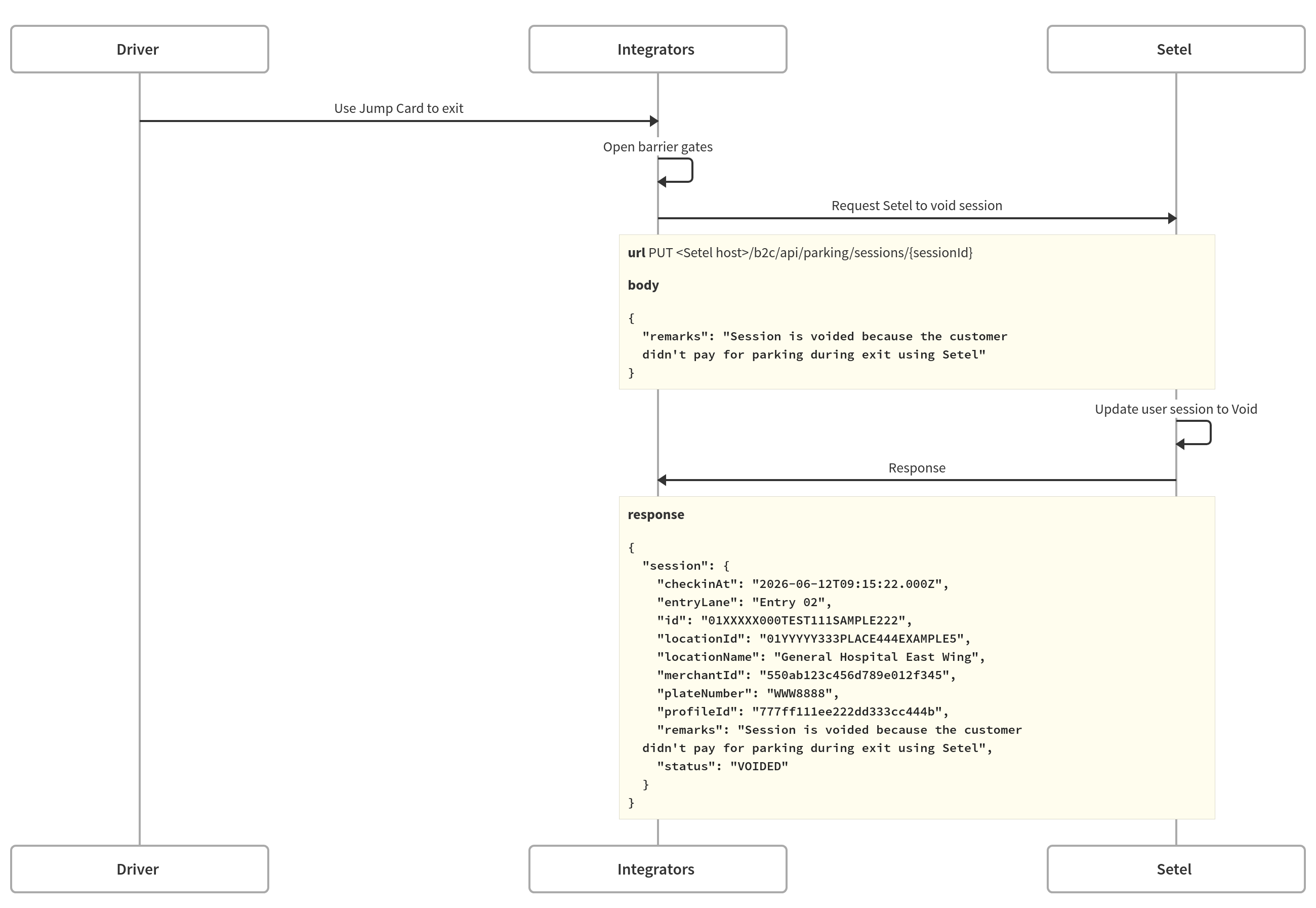
API reference: Void a parking session
Updated 5 months ago